Practice
Golf practice, planned and scored.
The hard part of golf practice is knowing what to work on, and whether it's working. SD Perform gives you a plan for the first and a score for the second.
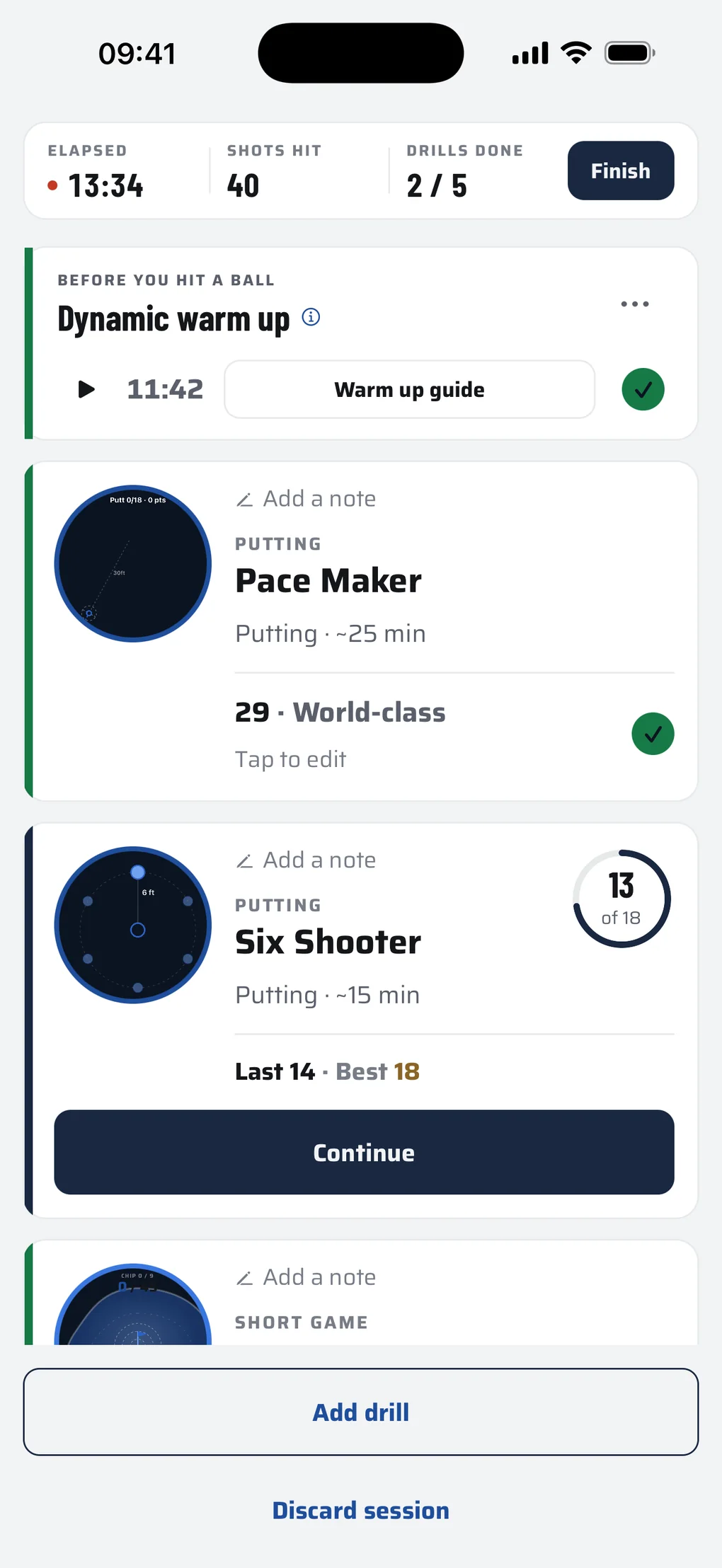
Built like a gym programme.
Most people know how a gym programme works, even if they never go. SD Perform builds golf practice the same way, so here's a quick guide to our terminology.
Drill
In the gym: an exercise, like bench press
One task with a target and a score
Session
In the gym: a workout, like push day
A set of drills, done in one go
Plan
In the gym: a training programme
Your sessions, built for your game and goals
Combine
In the gym: a fitness test
Four tough tests, one for each key area
Bonus game
In the gym: a superset, two exercises back to back
A drill after each hole, logged with your practice round
A system that moves with you.
Don't guess what drills are best for your game. Let us show you. The plan works in four easy steps.
A few questions
Built from a few questions, so we can tailor the plan to your game and practice habits.
Your plan
The plan is a combination of sessions. Sessions are a combination of drills. You decide how many a week and how long each session should be. Easy to follow, so you can focus on every shot.
Progress and your read
Check out your plan stats any time in Progress. Your read arrives when enough scores are in to show how your game is moving. It can suggest changes to your focus or your drills, or tell you the plan already fits your numbers.
Tweak or rework
We know your game and life can change, so move the plan to your needs whenever. You're never locked in to session frequency or content. Take your read's suggestions or edit in your own way.
Got a tournament coming? Tell the plan and it counts down to the day. Each round gets one evening nudge to log it. The morning after the last round, a report shows how your prep held up and how to move the plan to get ready for the next tournament.
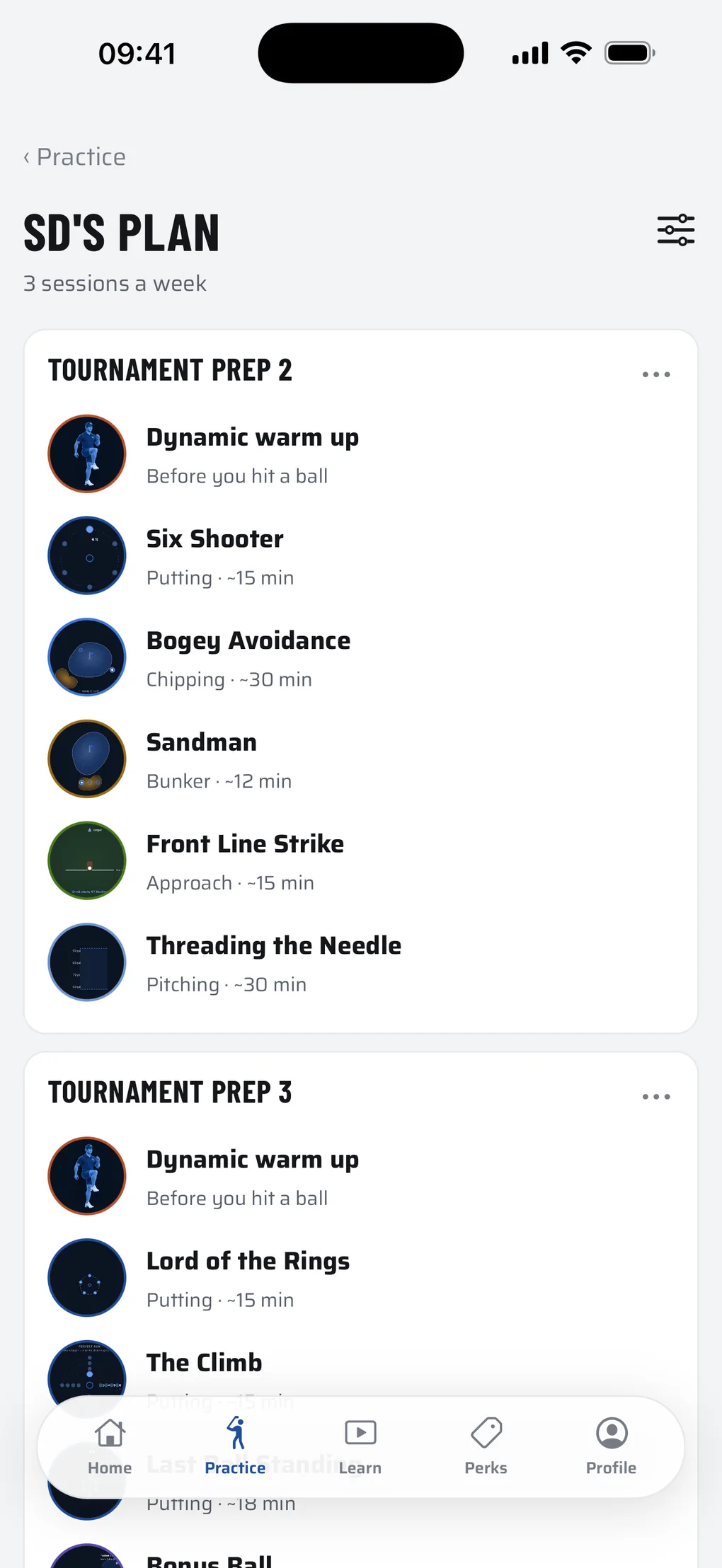
Five more ways to practise.
A plan can lead your practice, but it's never the only way in.
Single drill
One drill, scored, in and out. For warming up, chasing a personal best, or exploring at your own pace.
Build a session
Pick the drills, name it, save it for next time.
Simon's sessions
Ready any time. One part of your game costing you, a tournament coming, or half an hour spare: there's one for it.
Combines
Four tough tests: off the tee, approach, around the green and putting. Together they make your Dyson Score, a read on your whole game. Take one before a round to get sharp and into a scoring mindset. No launch monitor needed.
Log a round
Shot by shot. Practice rounds as you play or after, tournaments after you finish. Your rounds sit in your stats next to your practice.
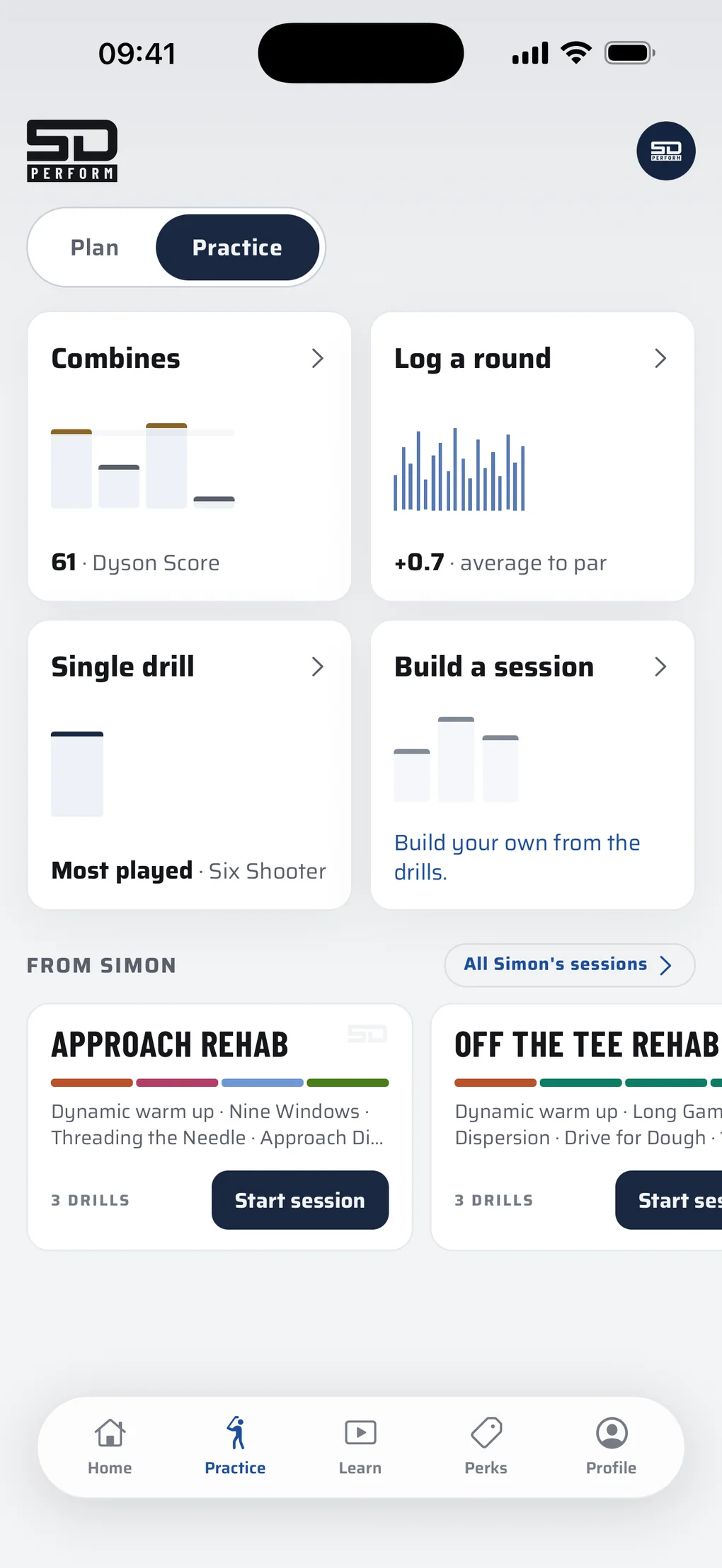
Every drill ends in a score.
Not a feeling, not a bucket of balls that went roughly well. A number you can beat next time.
Simon's drills cover all areas of the golf game:
- Putting
- Chipping
- Pitching
- Bunker
- Long Game
- Approach
- Course Play
- Shotmaking
Filter them by skill, from short putts and lag putts to strike and shot shaping, or by the kind of drill:
- Beginner friendly
- A good place to start if you're new to the game or coming back to it, and the easiest to set up.
- Completion drills
- Only a successful shot can end the drill.
- Played during a round
- Drills you take out on the course.
- Best with a launch monitor
- Use one and the numbers you enter are more accurate. Without one, judge the results by eye: the drills are built so you still see the trends in your game.
- Requires a launch monitor
- Drills that need measured distances. Any launch monitor will do, from a Trackman to a Toptracer range. SD Perform was built to work without one, so these sit alongside the rest rather than at the heart of it.
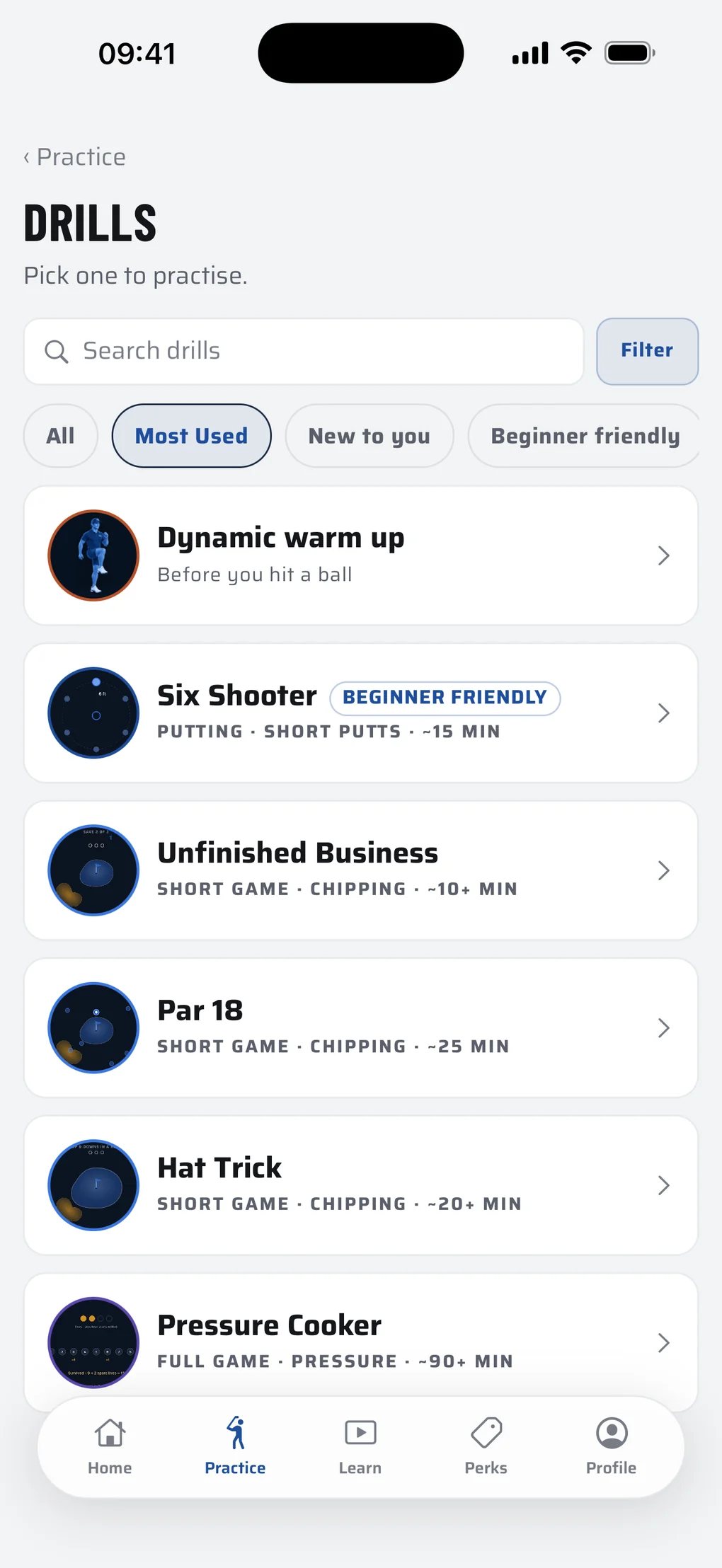
Know the drill.
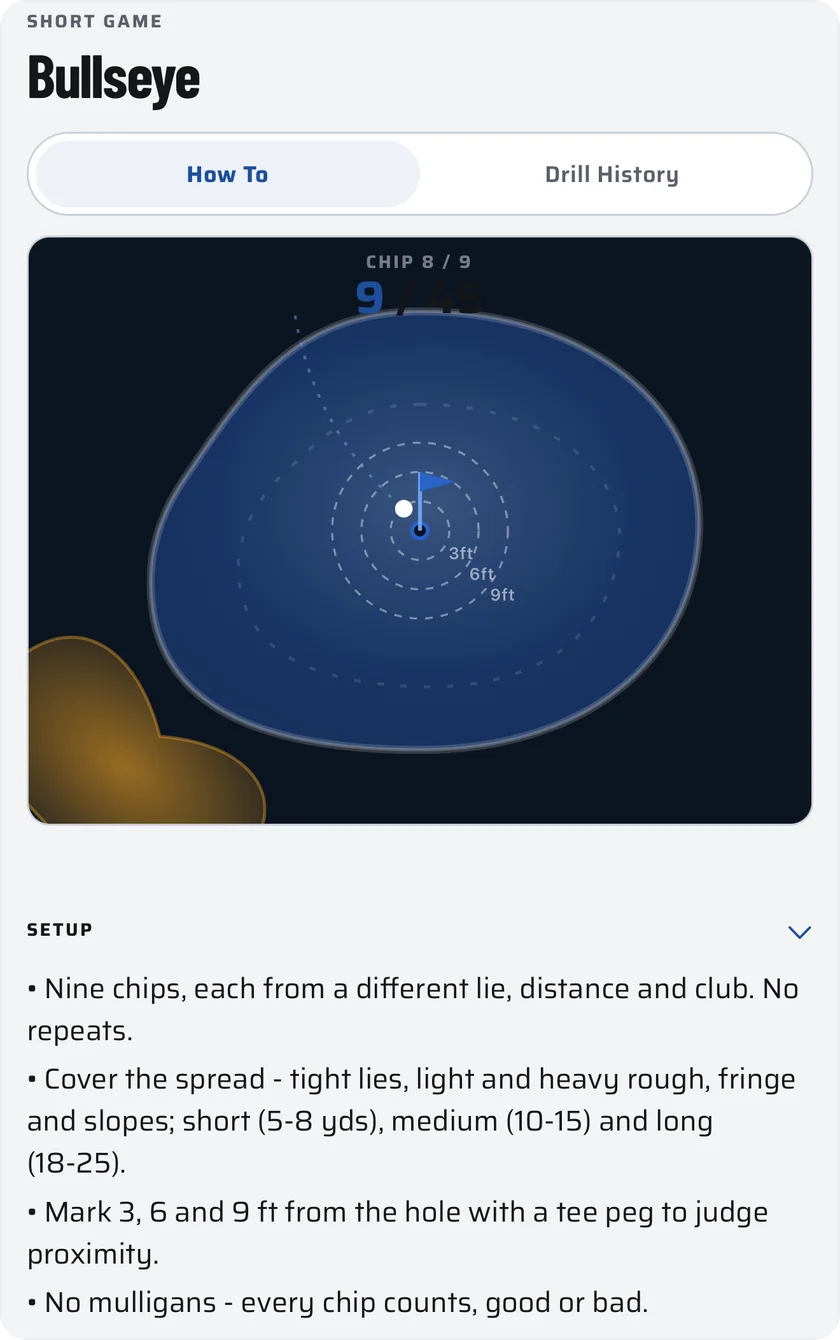
Every drill has its own page: the setup, how to play it, and how it's scored. Read it before you start, or tap How to mid-session for a reminder. The same page keeps every take you've logged, so you can see where your scores are heading.
At the end of every session, the card counts every shot you hit. Share it with the members' feed, or keep it just for you.
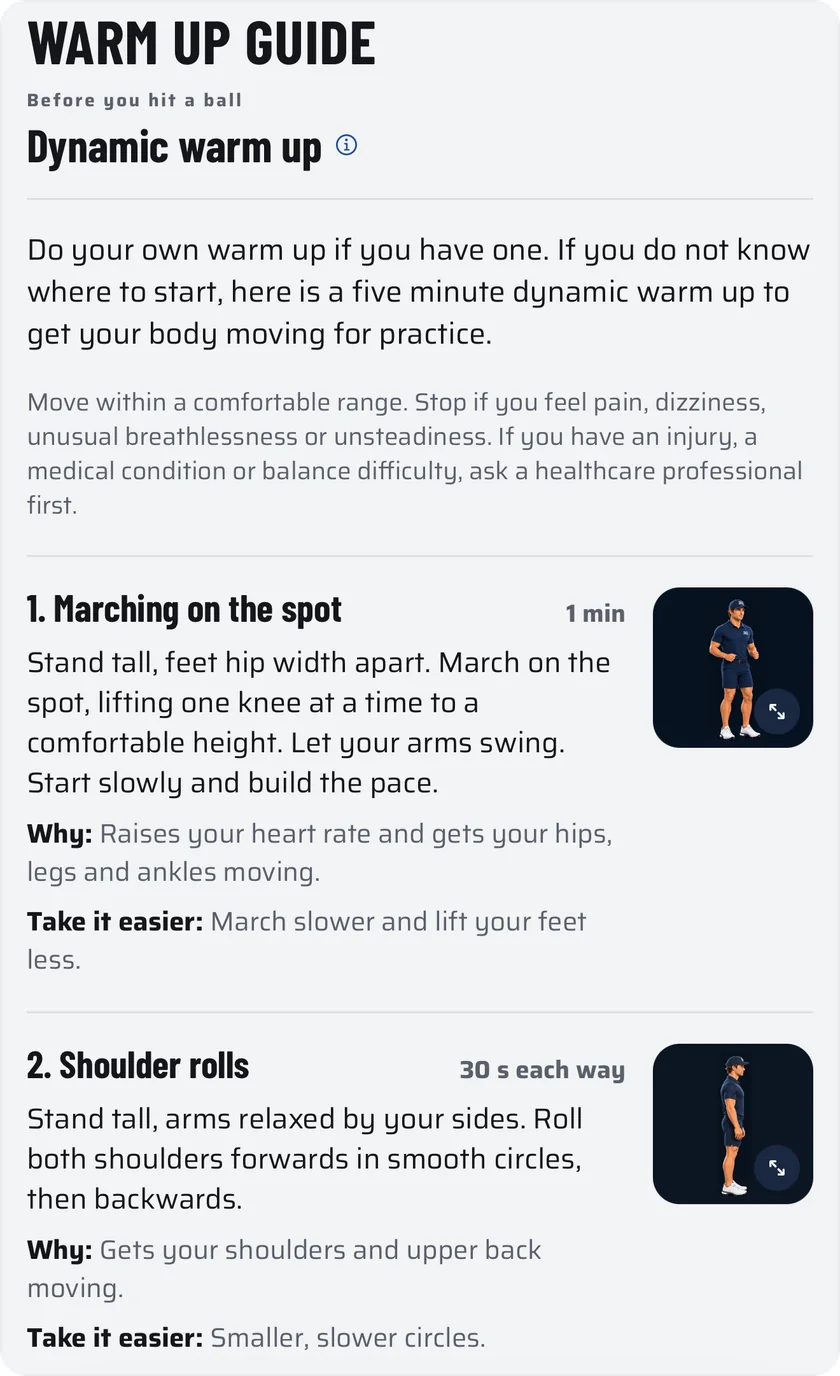
Five minutes before the first ball.
Every plan session starts with a reminder to warm up, and so does every one of Simon's sessions.
Do your own routine, or if you're not sure where to start, use the five minute dynamic warm up in the app: five moves, from marching on the spot to trunk rotations, each one drawn out with why it helps. A short dynamic warm up has been shown to improve how you swing from the first ball.
Your plan's reminder can be switched off in Plan settings.
Stop if anything hurts, and take advice first if you have an injury or a health condition.
Sources: NHS warm up guidance; Royal Free London, Leicestershire Partnership, South Tees and Cumbria, Northumberland, Tyne and Wear NHS trusts; Jeffreys 2007; Fradkin, Sherman and Finch 2004; Ehlert and Wilson 2019.
Get SD Perform first.
Apply for the Founding 100 and get the app before anyone else, or get launch updates and hear first when membership opens.
Hear first.
Leave a first name and an email. You get the launch updates, when membership opens, and news from Simon.
Noted.
We've sent a confirmation to your email. When the app is ready for you, you'll hear first.
You asked to be kept posted: the launch, membership opening, and news from Simon. One tap to leave, any time.
Coming soon to iPhone.